
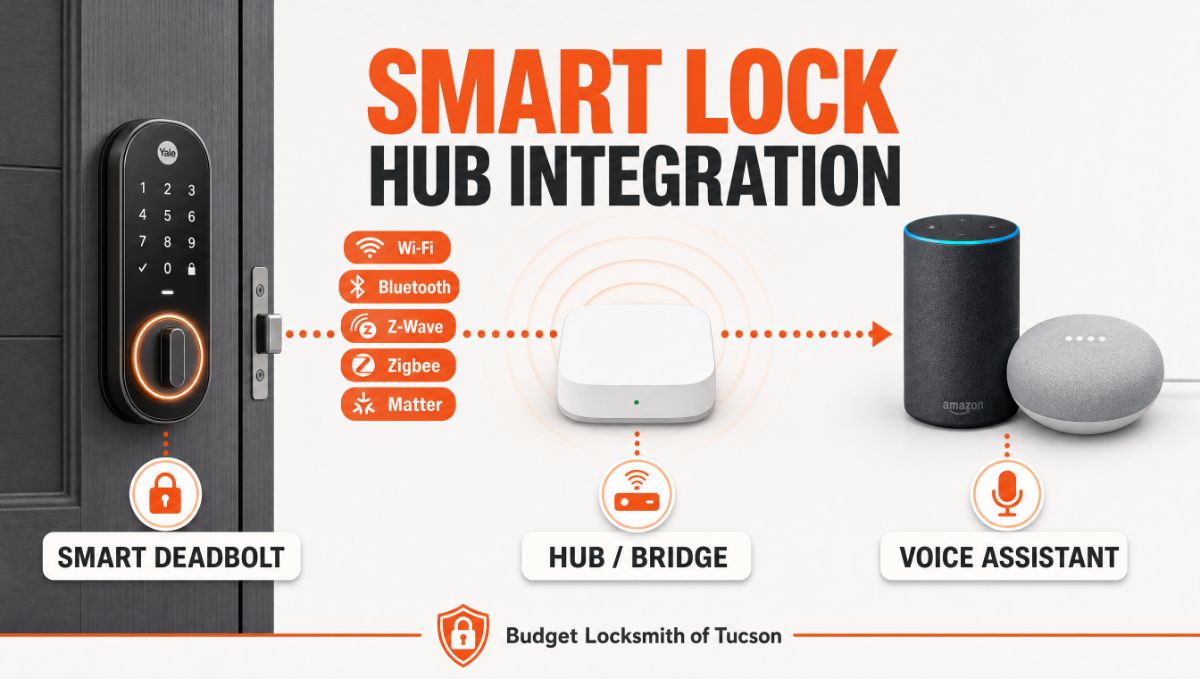
You tell Alexa to lock the front door, and nothing happens. Smart lock hub integration is the missing piece that lets your deadbolt take orders from Alexa or Google Home. It connects the lock on your door to the assistant on your counter, so a spoken command actually moves the bolt instead of going nowhere.
Many Tucson homeowners mount a connected deadbolt and then discover the voice assistant cannot see it at all. The gap is almost never the lock itself; it is the bridge between the lock’s wireless language and your home network. The solution is a properly matched hub paired with a careful setup, and a professional locksmith can confirm the hardware is sound before any of it goes digital. In this guide, our team at Budget Locksmith of Tucson explains how the connection works, how to pair it with Alexa or Google Home, and where deadbolt security still depends on the metal in your door. Read on to set it up the right way.
What Smart Lock Hub Integration Actually Means
A smart lock and a voice assistant rarely speak the same wireless language on their own. Smart lock hub integration is the process of joining the two through a device that translates between them, so a command you speak reaches the motor that turns the bolt. That translator is the hub, sometimes called a bridge.
Locks reach your network in different ways. Some use Wi-Fi and talk straight to your router. Others use Bluetooth and only reach a phone standing nearby. Many use low-power mesh signals such as Z-Wave or Zigbee, which need a dedicated hub to join the wider network. The newest models use Matter, a shared standard built to let locks, lights, and assistants work together without a tangle of separate apps. Knowing which language your lock speaks is the first step, because it decides which hub you need.
| Connection Type | How It Reaches Your Network | Hub or Bridge | Voice Assistant Fit |
|---|---|---|---|
| Wi-Fi | Connects straight to your router | Not needed | Works with Alexa and Google Home |
| Bluetooth | Short range to a nearby phone | Wi-Fi bridge | Works once a bridge is added |
| Z-Wave | Low-power mesh signal | Hub | Works through the hub |
| Zigbee | Low-power mesh signal | Hub | Works through the hub, some Echo units included |
| Matter over Thread | Shared open standard | Thread router | Works natively with both |
How to Connect Your Lock to Alexa or Google Home
Setting up a connected deadbolt follows the same logical order no matter which assistant you prefer. Move through these three stages and the door will answer to your voice without guesswork.
Match the Lock to the Right Hub
Start by reading the lock’s specification for its wireless type. A Wi-Fi lock often pairs with Alexa or Google Home through its own app and a linked account, with no extra box required. A Bluetooth lock needs a small bridge that keeps it visible to the assistant. A Z-Wave or Zigbee lock needs a compatible hub; some Amazon Echo speakers include a Zigbee radio, platforms such as Samsung SmartThings add Z-Wave support, and many newer Google Nest and Echo devices serve as a Thread connection point for the latest locks.
Link the Account and Name the Device
Once the hub recognizes the lock, open the Alexa or Google Home app and add the lock’s brand as a connected service. Sign in with the same account you used in the lock’s own app, and the door appears as a device you can control by voice. Give it a clear name, such as Front Door, so the assistant does not confuse it with other hardware. Group it into a room if you run several connected devices, and the whole system becomes easier to manage.
Set Voice Rules That Protect the Door
Voice control is convenient, yet an open microphone near an entry is also a security question worth respecting. Most platforms let you lock by voice with a simple command but require a spoken PIN before they will unlock. Keep that PIN requirement active. A professional locksmith will tell you the same thing we tell every homeowner: convenience should never quietly remove a layer of protection from your entry.
Where Deadbolt Security Still Lives in the Hardware
A motor and a microchip do not replace a well-built door. Smart features ride on top of mechanical deadbolt security, and a connected bolt that sits in a misaligned strike will strain, grind, and eventually fail. The interior thumbturn lock still has to move smoothly, the latch still has to seat fully, and the strike plate still has to be anchored into the door frame with long screws. Home safety begins with that foundation.
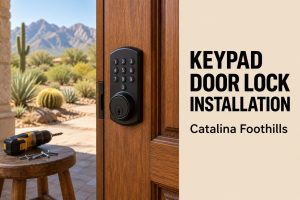
This is where a professional locksmith earns the call. Our keyless entry lock installation work starts by checking the door, the frame, and the existing hardware, then fitting the smart deadbolt so the bolt travels cleanly into the strike. The same trained hands that handle house key duplication, broken key extraction, and home safe unlocking understand how a thumbturn lock and a deadbolt behave under daily use. That mechanical fluency carries over from our automotive side as well, where smart key programming and key fob programming demand the same blend of electronics and precision.
Pro Tip from the field: Before you connect anything, test the deadbolt by hand with the door closed. Turn the thumbturn lock and watch the bolt slide into the strike. If you feel resistance, or you have to lift or push the door to make it catch, fix that alignment first. A smart motor will mask the problem by forcing the bolt, then fail under the strain. We have seen many connected locks blamed for failing when the real culprit was a door that needed adjustment before integration ever began. If a commercial security lock upgrade is on your list too, the same hand-test rule applies.
Frequently Asked Questions About Smart Lock Hub Integration
Do I need a separate hub to connect my smart lock to Alexa or Google Home?
Can I unlock my front door using only my voice?
What is the difference between Wi-Fi, Z-Wave, and Matter locks?
Will a smart lock still work during an internet or power interruption?
Does a smart lock replace a traditional deadbolt?
Should a professional locksmith install my smart lock?
Bring Your Smart Door Together With Tucson Specialists
A connected deadbolt should make your home easier to live in without trading away the protection a door is built to provide. Getting smart lock hub integration right means matching the lock to the correct hub, setting voice rules that guard the door, and trusting the mechanical work to someone who installs locks for a living. If you want a connected lock fitted correctly, or a broader home safety review of every entry point, our certified team across Tucson and the surrounding Pima County area is ready to help. Learn more about our background on the about us page, browse other guides on our blog, and reach out through our contact page. Find us on our Google Business listing and map and schedule a smart lock installation or a full security audit with Budget Locksmith of Tucson.